While test units of Apple's upcoming iPhone haven't been readily available, Apple pundits have gone the extra mile to gather more information about this highly sought after device.
The iPhone is the latest superstar in a lineup of smartphone.
These are devices which typically combine the functions of a cellphone together with a computer. Imagine carrying a computer, barely larger than a pack of cards in your pocket with the ability to check your email, surf the Internet, send pictures and videos to your friends and family and you have the idea of what a smartphone is capable of.
The Apple iPhone sports a 3.5 inch screen, among the largest in devices of this class and is ideal for viewing videos and even movies on the device.
It is a Quadband phone, supporting 4 cellphone standards - GSM 850, GSM 900, GSM 1800 and GSM 1900, meaning that the mobile warrior who is travelling between the United States, Europe and Asia will be able to use the phone wherever and whenever they want to.
Internet access is not neglected either. The Apple iPhone supports EDGE a 2.5G cellphone communications standard, high speed EDGE and Wi-Fi communications networks and Bluetooth 2.0, for compatibility with wireless cellphone headsets.
Apple has stated that there are plans for a 3G version of this phone, which shouldn't be an issue as 3G networks aren't common to all major metropolitan cities now.
With all these issues, battery life should not be an issue with the phone providing 8 hours of talk time, 6 hours of Internet use, 8 hours of video playback and up to 24 hours of audio playback. If the phone is not in use, it has a stanby time of more than 250 hours.
While the Apple iPhone is slightly larger than the average "talk only" cell phone, at 4.5x2.4x0.46 inches and weighing in at 4.8 ounches, this isn't a major compromise when you compare the alternative of carrying a cell phone, an MP3 player and a laptop computer around to mirror the functions of the iPhone.
The goal of an all-in-one device that marries the functions of multiple devices, in an easy to use interface, AND featuring a stylish design has always been on the wish list of technology enthusiasts everwhere.
With the arrival of the Apple iPhone, this goal will be achieved.
The launch date of 29th June may seem very far and a distant goal, but once we have arrived, it's one big step for Apple fans everywhere.
Thursday, June 28, 2007

Wednesday, June 27, 2007
Is the Apple iPhone Overpriced?
Costing about $500 or $600 (depending on the specific model), the Apple iPhone might seem significantly more expensive than its Plain Jane cellphone counterparts which only cost $100 to $200. But let's take a closer look at whether it is a fair comparison.
Apple's products, like Japanese manufacturer Sony, have always commanded a premium in the market.
While it's easy to say that a similar cellphone might cost significant less, and represent better value for money, is that really the case?
For starters, Apple has emphasized a great deal on the design and ergonomics of its products, as well as the usability of its products.
Witness the Apple Macintosh.
When released in 1984, it signalled a revolution for users everywhere.
Where computers used to be cryptic devices where you needed to learn to type cryptic codes to get it working, the Macintosh brought the Graphical User Interface (or GUI for short) to the forefront.
Suddenly, users who had "PC Phobia" were taking to computers which seemed so much easier to use.
Likewise, for the iPhone, it looks set to conquer the smartphone market.
Instead of cryptic commands to perform complex operations, the Apple iPhone has incorporated several 'smart' features, such as the ability to magnify and reduce screen images by "pinching" or "squeezing" the iPhone's display screen.
It incorporates an ambient light sensor which automatically adjusts lighting levels in response to the lighting around, preserving battery life and making the screen easy to view.
The intelligence of the device also automatically switches the screen display from a portrait to a landscape orientation when the device is flipped from a vertical to a horizontal orientation.
And if you should answer a phone call, the iPhone is smart enough to recognize that the phone is being brought close to your face and the keypad automatically deactivates itself, so you don't hit a key accidentally when the phone brushes against your face.
Apple certainly has a multitude of competitors in the market and a sign that it is a lucrative market is when there are a multitude of competitors snapping at your heels.
While it is easy to brush off the Apple iPhone as an "expensive phone", it certainly will not do any justice to the design and effort which has gone into the innovative product.
Can you place a measure on being able to do something easily and simply, without having to fiddle through a thick manual, or look through several "help" pages?
With the Apple iPhone, this certainly won't be an issue.
Apple's products, like Japanese manufacturer Sony, have always commanded a premium in the market.
While it's easy to say that a similar cellphone might cost significant less, and represent better value for money, is that really the case?
For starters, Apple has emphasized a great deal on the design and ergonomics of its products, as well as the usability of its products.
Witness the Apple Macintosh.
When released in 1984, it signalled a revolution for users everywhere.
Where computers used to be cryptic devices where you needed to learn to type cryptic codes to get it working, the Macintosh brought the Graphical User Interface (or GUI for short) to the forefront.
Suddenly, users who had "PC Phobia" were taking to computers which seemed so much easier to use.
Likewise, for the iPhone, it looks set to conquer the smartphone market.
Instead of cryptic commands to perform complex operations, the Apple iPhone has incorporated several 'smart' features, such as the ability to magnify and reduce screen images by "pinching" or "squeezing" the iPhone's display screen.
It incorporates an ambient light sensor which automatically adjusts lighting levels in response to the lighting around, preserving battery life and making the screen easy to view.
The intelligence of the device also automatically switches the screen display from a portrait to a landscape orientation when the device is flipped from a vertical to a horizontal orientation.
And if you should answer a phone call, the iPhone is smart enough to recognize that the phone is being brought close to your face and the keypad automatically deactivates itself, so you don't hit a key accidentally when the phone brushes against your face.
Apple certainly has a multitude of competitors in the market and a sign that it is a lucrative market is when there are a multitude of competitors snapping at your heels.
While it is easy to brush off the Apple iPhone as an "expensive phone", it certainly will not do any justice to the design and effort which has gone into the innovative product.
Can you place a measure on being able to do something easily and simply, without having to fiddle through a thick manual, or look through several "help" pages?
With the Apple iPhone, this certainly won't be an issue.
The Apple iPhone Embraces Web 2.0
More than just a music player which also doubles up as a cell phone, the Apple iPhone is fully loaded to support Third Party Web 2.0 applications.
Web 2.0 applications provide greater interactivty and importantly for product owners and merchants, the ability to conduct secure data access and transactions, similar to those used for purchases from sites like Amazon.com, stock purchases and bank funds transfers.
This opens up an arena of possibilities for the iPhone to take center stage in a digital economy.
Imagine this, you use the iPhone's built-in 2 megapixel camera to take photos at a friend's birthday party, you upload it to a web-based photo sharing website like Flickr and you send a text or email broadcast to your friends.
They then visit your site and live interactive comments, similar to services found on Twitter.
As an additional option, you could include links to real-time print-on-demand photography services, and your friends can request for photos to be printed and sent to them overnight.
But the real breakthrough will come when you're able to pay for purchases with your iPhone.
Imagine travelling without your wallet or purse, making payment at a parking meter, buying cinema tickets, paying for a meal with just a single touch of a payment button on your iPhone.
The iPhone's technology architecture means that developers can create innovative applications for the device.
Can you picture youself controlling the functions of your home with your trusty iPhone?
Imagine being able to turn your sprinklers and your sprinklers on and off, setting the washing machine to start up, with just an instruction sent to your home automation network.
If you're away on vacation, your iPhone provides real-time video access to your home's security system, giving you the ability to ensure that your home is safe and sound, even while you might be a continent away.
The first of the supported Web 2.0 application can be found accessed using the smartphone.
Google Maps provides the ability not just to search maps, it also gives you the ability to find businesses and get directions to locations.
While the iPhone will initially be available only in the United States in the middle of 2007, it will also be available in Europe by the end of 2007 and in Asia the following year.
The iPhone marks Apple's first entry into the cellphone market and judging by the responses seen so far, it certainly looks set to make a big splash.
Monday, June 25, 2007
A Day In the Life Of An Average Apple iPhone User
It can be difficult to imagine how a single device like the Apple iPhone can radically change your lifestyle, until you are introduced into your virtual future self.
Fast forward a year into the near future...
Ring, ring, it's early in the morning and your favorite song is blaring from your Apple iPhone.
You pick it up and the iPhone's sensors detect your touch and the screen lights up, showing you the time.

As you rise up from bed, you step into the bathroom to get read, and you set your playlist to play your favorite tunes as you get ready for work.
As you step into the subway, you plug your headphone through the 3.5mm headphone jack into the iPhone and flip the unit to its horizontal orientation. While the other commuters are staring at the ceiling, or blankly at each other, you're sitting there laughing quietly as you catch last evening's sitcom on the iPhone's generous 3.5 inch screen.
You receive a beep on your iPhone, and you pause the program to receive the call.
Turns out your friend Jill has arranged a special birthday surprise for your mutual friend, Holly.
Taking down the details, you flip briefly to your iPhone schedule and mark the date on your diary.
Finishing the call, you switch back to finishing up the sitcom.
As you head into the office, your iPhone beeps, it's your secretary.
"The boss is waiting for you", she says.
It's a hectic day ahead and as you step into the elevator headed for the 50th floor, you decide to make the most of your time and check the list of voicemails listed on the iPhone's Visual Voicemail panel.
You delete a few unnecessary ones from the listing and listen to the 7th message from your little niece.
It's hard to imagine the days when you had to listen to the voicemails one at a time. Now you can check out the callers using the Caller ID function and delete them immediately, saving you previous time.
As you step into your office, your secretary walks in.
"The PABX is on the fritz, you'll need to establish the conference call".
So you pull out your trusty iPhone, set up the conference call function and you're soon talking to London and Tokyo at the same time.
"Hey" says your boss, "Isn't the office PABX on the fritz? How're you able to dial in and set up the conference?"
"Simple, boss, my iPhone has got it all settled"
"I must get one of those" he says "I heard they can pretty much do everything"
"Pretty much" you say, as you finish up the call.
Fast forward a year into the near future...
Ring, ring, it's early in the morning and your favorite song is blaring from your Apple iPhone.
You pick it up and the iPhone's sensors detect your touch and the screen lights up, showing you the time.
As you rise up from bed, you step into the bathroom to get read, and you set your playlist to play your favorite tunes as you get ready for work.
As you step into the subway, you plug your headphone through the 3.5mm headphone jack into the iPhone and flip the unit to its horizontal orientation. While the other commuters are staring at the ceiling, or blankly at each other, you're sitting there laughing quietly as you catch last evening's sitcom on the iPhone's generous 3.5 inch screen.
You receive a beep on your iPhone, and you pause the program to receive the call.
Turns out your friend Jill has arranged a special birthday surprise for your mutual friend, Holly.
Taking down the details, you flip briefly to your iPhone schedule and mark the date on your diary.
Finishing the call, you switch back to finishing up the sitcom.
As you head into the office, your iPhone beeps, it's your secretary.
"The boss is waiting for you", she says.
It's a hectic day ahead and as you step into the elevator headed for the 50th floor, you decide to make the most of your time and check the list of voicemails listed on the iPhone's Visual Voicemail panel.
You delete a few unnecessary ones from the listing and listen to the 7th message from your little niece.
It's hard to imagine the days when you had to listen to the voicemails one at a time. Now you can check out the callers using the Caller ID function and delete them immediately, saving you previous time.
As you step into your office, your secretary walks in.
"The PABX is on the fritz, you'll need to establish the conference call".
So you pull out your trusty iPhone, set up the conference call function and you're soon talking to London and Tokyo at the same time.
"Hey" says your boss, "Isn't the office PABX on the fritz? How're you able to dial in and set up the conference?"
"Simple, boss, my iPhone has got it all settled"
"I must get one of those" he says "I heard they can pretty much do everything"
"Pretty much" you say, as you finish up the call.
Sunday, June 24, 2007
Review on "Master Visually iPod and iTunes"
My friend bought this book from Amazon 4 weeks back. I thought it would be good to have him drop a review about it down here.
Due courtesy to Jason Patterson
I'ld rate this one 4.5 out of 5 Stars for it's ease of use. It gets me everything I want from tip to toe.
The book is comprised of five parts, that leads you very easily and methodically through using the iPod and iTunes (Part 1 & 2) . Part 3 - it very clearly describes in words and visually how to use the iPod as a PDA and external hard disk. Part IV deal extensively with iTunes in detail, in this chapter you learn about further organization of the iTunes library, editing song information, customization of iTunes and more. It covers streaming radio stations. I currently record my favorite NPR programs to my computer and transfer them to my iTunes library. I am then free to listen to them at my leisure on one of my iPods. Part V describes Sharing your iTunes Library on Disc or Online which includes burning cd's, creating jewel case inserts, sharing and looking for shared music. The book has a section on the iPod Photo which covers it in detail from optimizing images to creating slideshows to how to sow them on your television.
I recommend this one for all those of you who are seriously keen on making the best out of your iPod, iTunes because it has so much information and it's so packed-for-value. It's worth the buck.
I mean, if you already own an iPod, why not make the best out of it? (If you don't know how to which I'm sure many of us are struggling)
==============
Due courtesy to Jason Patterson
I'ld rate this one 4.5 out of 5 Stars for it's ease of use. It gets me everything I want from tip to toe.
The book is comprised of five parts, that leads you very easily and methodically through using the iPod and iTunes (Part 1 & 2) . Part 3 - it very clearly describes in words and visually how to use the iPod as a PDA and external hard disk. Part IV deal extensively with iTunes in detail, in this chapter you learn about further organization of the iTunes library, editing song information, customization of iTunes and more. It covers streaming radio stations. I currently record my favorite NPR programs to my computer and transfer them to my iTunes library. I am then free to listen to them at my leisure on one of my iPods. Part V describes Sharing your iTunes Library on Disc or Online which includes burning cd's, creating jewel case inserts, sharing and looking for shared music. The book has a section on the iPod Photo which covers it in detail from optimizing images to creating slideshows to how to sow them on your television.
I recommend this one for all those of you who are seriously keen on making the best out of your iPod, iTunes because it has so much information and it's so packed-for-value. It's worth the buck.
I mean, if you already own an iPod, why not make the best out of it? (If you don't know how to which I'm sure many of us are struggling)
==============
What's the iPhone HYPE all about!
We've all heard the crazy reviews about the upcoming launch of the iPhone, haven't we?
Aren't you excited by the crazy amount of features and benefits that this phone has to provide for all us consumers and techno-gadget fanatics?
Didn't you feel that perhaps it was time we went about discovering one of the most powerful and brilliant inventions of our 21st century in this very very special universal touchscreen gadget embedded with the endless features of Wi-Fi, Mp3, Camera, Internet, Email, Multimedia?
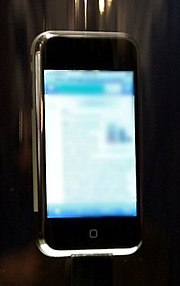
With due courtesy of Wikipedia
The iPhone is a multimedia and Internet-enabled mobile phone by Apple, announced by Apple CEO Steve Jobs during the keynote address at the Macworld Conference & Expo on 9 January 2007, that is scheduled to be released on 29 June 2007[1][2][3] in the U.S. at 6 p.m "local time."[4] [5] [6]
The iPhone's functions include those of a camera phone, a multimedia player, mobile phone, and Internet services like e-mail, text messaging, web browsing, Visual Voicemail and wireless connectivity. iPhone input is accomplished via touchscreen with virtual keyboard and buttons. The iPhone is a quad-band GSM phone, though Jobs mentioned in his keynote that Apple has a "plan to make 3G phones" in the future.[7] Apple has filed more than 200 patents related to the technology behind the iPhone.[8]
....
The 3.5 inch (8.9 cm) liquid crystal display (320×480 px at 160 ppi) HVGA touch screen topped with optical-quality glass[29] is specifically created for use with a finger, or multiple fingers for multi-touch sensing. No stylus is needed, nor can one be used, as the touch screen requires bare skin to operate.[30]
For text input, the device implements a virtual keyboard on the touchscreen. It has automatic spell checking, predictive word capabilities, and a dynamic dictionary that learns new words. Notably, the predictive word capabilities have been integrated with the dynamic virtual keyboard so that users will not have to be extremely accurate when typing — i.e. touching the edges of the desired letter or nearby letters on the keyboard will be predictively corrected when possible. Additionally, an optional landscape mode for text entry with the virtual keyboard has been mentioned by Apple executives as a possibility for iPhone, but Apple has not yet come to a final decision as to its inclusion in the shipping version of iPhone. A possible advantage of landscape text entry would be the availability of larger keys to ease text entry, especially for individuals with larger fingers.
The iPhone varies from common desktop interfaces by using a direct manipulation model of scrolling. Where a typical desktop GUI achieves scrolling by using a scroll-arrow to push a view-window down and thus the content itself up (or the reverse, clicking up to move content down), the iPhone interface enables the user to move the content itself up or down by a touch-drag-lift motion of the finger, much as one would slide a playing card across a table. Additionally, the speed desired for scrolling is computed based on the speed and acceleration with which the drag motion is performed.
Scrolling through a long list works as if the list is pasted on the surface of a wheel: the wheel can be "spun" by sliding a finger over the display. After the finger is lifted from the display the wheel continues to "spin" for a short moment before coasting down. In this way, the iPhone seems to simulate the physics of a real object, which, it is thought, should give a natural feel to the whole process.
The UI also features other visual effects, such as horizontally sliding sub-selections and co-selections from right and left, vertically sliding system menus from the bottom (e.g. favorites, keyboard), and menus and widgets that turn around to allow settings to be configured on their back sides.
The photo album and web page magnifications are examples of multi-touch sensing. It is possible to zoom in and out of objects such as web pages and photos by respectively "unpinching" and "pinching" them, that is, placing two fingers (usually thumb and forefinger) on the screen and moving them farther apart or closer together as if stretching or squeezing the image. This scaling is done uniformly and proportionally based on the image in question so there is no distortion of the image itself, as would be the case if the image were actually stretched or squeezed.
Other inputs
The display responds to three sensors: a proximity sensor that shuts off the display and touchscreen when the iPhone is brought near the face to save battery power and to prevent spurious inputs from the user's face and ears, an ambient light sensor that adjusts the display brightness which in turn saves battery power, and an accelerometer, which senses the orientation of the phone and changes the screen accordingly, albeit in only one 90 degree direction.
A single frontal hardware button brings up the main menu. Subselections are made via the touchscreen. The iPhone utilizes a full-paged display, with context-specific submenus at the top and/or bottom of each page, sometimes depending on screen orientation. Detail pages display the equivalent of a "Back" button to go up one menu.
The iPhone has three physical switches on its sides: sleep/wake, volume up/down, ringer on/off. All other multimedia and phone operations are done via the touch screen.
Phone
The iPhone allows conferencing, call holding, call merging, caller ID, and integration with other cellular network features and iPhone functions. For example, a playing song fades out when the user receives a call. Once the call is ended the music fades back in.
The iPhone will include a Visual Voicemail feature in conjunction with AT&T Mobility, formerly Cingular Wireless, which allows users to view a list of current voicemail messages onscreen, without having to call into their voicemail. Unlike most other systems, messages can be listened to in a non-chronological order, by choosing messages from an on-screen list. AT&T completely reworked their voicemail infrastructure to accommodate this new feature designed by Apple.
SMS messages are presented chronologically in a mailbox format similar to Mail, which places all text from recipients together with replies. Text messages are displayed in speech bubbles (similar to iChat) under each recipient's name.
Camera
The iPhone features a built in 2.0 megapixel camera located on the back, the camera cannot record video at this time. It also includes software that allows the user to upload, view, and e-mail photos. The user zooms in and out of photos by "unpinching" and "pinching" them through the Multi-touch interface. The software will interact with iPhoto on the Mac.
Multimedia
The layout of the music library differs from previous iPods, with the sections divided more clearly alphabetically, and with a larger font. The Cover Flow, like that on iTunes, shows the different album covers in a scroll-through photo library. Scrolling is achieved by swiping a finger across the screen.
Like the fifth generation iPods introduced in 2005, the iPhone can play video, allowing users to watch TV shows and films. Unlike other image-related content, video on the iPhone plays only in the landscape orientation, when the phone is turned sideways. A two-fingered tap is used to switch between the video's true wide-screen aspect ratio (with black bars on the top and bottom of the screen) and a zoomed mode (to fill the iPhone's screen).
Internet
The iPhone has built-in WiFi, with which it will be able to access the Internet (through a wireless network) via a modified version of the Safari web browser. The iPhone will also be able to connect to the Internet through AT&T's EDGE network but will not be able to utilize AT&T's 3G/HSDPA network at launch, however Steve Jobs' mentioned at the Keynote presentation that 3G support would be a future feature.[30] The web browser displays full web pages as opposed to simplified pages as on most other phones. However, as of WWDC 2007, the iPhone does not support Flash technology.[31] Web pages may be viewed in portrait or landscape mode and support automatic zooming by "pinching" or double-tapping images or text. The iPhone also has Bluetooth 2.x+EDR built in. It works with wireless earpieces that use Bluetooth 2.0 technology and allows file transfer.
An agreement between Apple and Google provides for access to a specially modified version of Google Maps — in map, local list, or satellite form, optimized for the iPhone. During the launch of the product, Jobs demonstrated this feature by searching for nearby Starbucks and then placing a prank call to one with a single tap.[32]
E-mail
The iPhone also features an HTML e-mail program, which enables the user to embed photos in an e-mail message. Yahoo! will be providing a free Push-IMAP e-mail service similar to that on a BlackBerry; IMAP and POP3 mail standards are also supported, including Microsoft Exchange. The iPhone will sync with e-mail programs such as Outlook, entourage and web based email accounts such as Gmail, .Mac mail and AOL. [33] There is no enterprise email connectivity[34] other than IMAP and POP3.
...............
for more information, read up here
Aren't you excited by the crazy amount of features and benefits that this phone has to provide for all us consumers and techno-gadget fanatics?
Didn't you feel that perhaps it was time we went about discovering one of the most powerful and brilliant inventions of our 21st century in this very very special universal touchscreen gadget embedded with the endless features of Wi-Fi, Mp3, Camera, Internet, Email, Multimedia?
With due courtesy of Wikipedia
The iPhone is a multimedia and Internet-enabled mobile phone by Apple, announced by Apple CEO Steve Jobs during the keynote address at the Macworld Conference & Expo on 9 January 2007, that is scheduled to be released on 29 June 2007[1][2][3] in the U.S. at 6 p.m "local time."[4] [5] [6]
The iPhone's functions include those of a camera phone, a multimedia player, mobile phone, and Internet services like e-mail, text messaging, web browsing, Visual Voicemail and wireless connectivity. iPhone input is accomplished via touchscreen with virtual keyboard and buttons. The iPhone is a quad-band GSM phone, though Jobs mentioned in his keynote that Apple has a "plan to make 3G phones" in the future.[7] Apple has filed more than 200 patents related to the technology behind the iPhone.[8]
....
The 3.5 inch (8.9 cm) liquid crystal display (320×480 px at 160 ppi) HVGA touch screen topped with optical-quality glass[29] is specifically created for use with a finger, or multiple fingers for multi-touch sensing. No stylus is needed, nor can one be used, as the touch screen requires bare skin to operate.[30]
For text input, the device implements a virtual keyboard on the touchscreen. It has automatic spell checking, predictive word capabilities, and a dynamic dictionary that learns new words. Notably, the predictive word capabilities have been integrated with the dynamic virtual keyboard so that users will not have to be extremely accurate when typing — i.e. touching the edges of the desired letter or nearby letters on the keyboard will be predictively corrected when possible. Additionally, an optional landscape mode for text entry with the virtual keyboard has been mentioned by Apple executives as a possibility for iPhone, but Apple has not yet come to a final decision as to its inclusion in the shipping version of iPhone. A possible advantage of landscape text entry would be the availability of larger keys to ease text entry, especially for individuals with larger fingers.
The iPhone varies from common desktop interfaces by using a direct manipulation model of scrolling. Where a typical desktop GUI achieves scrolling by using a scroll-arrow to push a view-window down and thus the content itself up (or the reverse, clicking up to move content down), the iPhone interface enables the user to move the content itself up or down by a touch-drag-lift motion of the finger, much as one would slide a playing card across a table. Additionally, the speed desired for scrolling is computed based on the speed and acceleration with which the drag motion is performed.
Scrolling through a long list works as if the list is pasted on the surface of a wheel: the wheel can be "spun" by sliding a finger over the display. After the finger is lifted from the display the wheel continues to "spin" for a short moment before coasting down. In this way, the iPhone seems to simulate the physics of a real object, which, it is thought, should give a natural feel to the whole process.
The UI also features other visual effects, such as horizontally sliding sub-selections and co-selections from right and left, vertically sliding system menus from the bottom (e.g. favorites, keyboard), and menus and widgets that turn around to allow settings to be configured on their back sides.
The photo album and web page magnifications are examples of multi-touch sensing. It is possible to zoom in and out of objects such as web pages and photos by respectively "unpinching" and "pinching" them, that is, placing two fingers (usually thumb and forefinger) on the screen and moving them farther apart or closer together as if stretching or squeezing the image. This scaling is done uniformly and proportionally based on the image in question so there is no distortion of the image itself, as would be the case if the image were actually stretched or squeezed.
Other inputs
The display responds to three sensors: a proximity sensor that shuts off the display and touchscreen when the iPhone is brought near the face to save battery power and to prevent spurious inputs from the user's face and ears, an ambient light sensor that adjusts the display brightness which in turn saves battery power, and an accelerometer, which senses the orientation of the phone and changes the screen accordingly, albeit in only one 90 degree direction.
A single frontal hardware button brings up the main menu. Subselections are made via the touchscreen. The iPhone utilizes a full-paged display, with context-specific submenus at the top and/or bottom of each page, sometimes depending on screen orientation. Detail pages display the equivalent of a "Back" button to go up one menu.
The iPhone has three physical switches on its sides: sleep/wake, volume up/down, ringer on/off. All other multimedia and phone operations are done via the touch screen.
Phone
The iPhone allows conferencing, call holding, call merging, caller ID, and integration with other cellular network features and iPhone functions. For example, a playing song fades out when the user receives a call. Once the call is ended the music fades back in.
The iPhone will include a Visual Voicemail feature in conjunction with AT&T Mobility, formerly Cingular Wireless, which allows users to view a list of current voicemail messages onscreen, without having to call into their voicemail. Unlike most other systems, messages can be listened to in a non-chronological order, by choosing messages from an on-screen list. AT&T completely reworked their voicemail infrastructure to accommodate this new feature designed by Apple.
SMS messages are presented chronologically in a mailbox format similar to Mail, which places all text from recipients together with replies. Text messages are displayed in speech bubbles (similar to iChat) under each recipient's name.
Camera
The iPhone features a built in 2.0 megapixel camera located on the back, the camera cannot record video at this time. It also includes software that allows the user to upload, view, and e-mail photos. The user zooms in and out of photos by "unpinching" and "pinching" them through the Multi-touch interface. The software will interact with iPhoto on the Mac.
Multimedia
The layout of the music library differs from previous iPods, with the sections divided more clearly alphabetically, and with a larger font. The Cover Flow, like that on iTunes, shows the different album covers in a scroll-through photo library. Scrolling is achieved by swiping a finger across the screen.
Like the fifth generation iPods introduced in 2005, the iPhone can play video, allowing users to watch TV shows and films. Unlike other image-related content, video on the iPhone plays only in the landscape orientation, when the phone is turned sideways. A two-fingered tap is used to switch between the video's true wide-screen aspect ratio (with black bars on the top and bottom of the screen) and a zoomed mode (to fill the iPhone's screen).
Internet
The iPhone has built-in WiFi, with which it will be able to access the Internet (through a wireless network) via a modified version of the Safari web browser. The iPhone will also be able to connect to the Internet through AT&T's EDGE network but will not be able to utilize AT&T's 3G/HSDPA network at launch, however Steve Jobs' mentioned at the Keynote presentation that 3G support would be a future feature.[30] The web browser displays full web pages as opposed to simplified pages as on most other phones. However, as of WWDC 2007, the iPhone does not support Flash technology.[31] Web pages may be viewed in portrait or landscape mode and support automatic zooming by "pinching" or double-tapping images or text. The iPhone also has Bluetooth 2.x+EDR built in. It works with wireless earpieces that use Bluetooth 2.0 technology and allows file transfer.
An agreement between Apple and Google provides for access to a specially modified version of Google Maps — in map, local list, or satellite form, optimized for the iPhone. During the launch of the product, Jobs demonstrated this feature by searching for nearby Starbucks and then placing a prank call to one with a single tap.[32]
The iPhone also features an HTML e-mail program, which enables the user to embed photos in an e-mail message. Yahoo! will be providing a free Push-IMAP e-mail service similar to that on a BlackBerry; IMAP and POP3 mail standards are also supported, including Microsoft Exchange. The iPhone will sync with e-mail programs such as Outlook, entourage and web based email accounts such as Gmail, .Mac mail and AOL. [33] There is no enterprise email connectivity[34] other than IMAP and POP3.
...............
for more information, read up here
Subscribe to:
Posts (Atom)